
tipit Routine
Can tipit really help you while other apps could not?
The answer to that question relies entirely up to you. We have looked through the tools and apps that are available in the market. No doubt there are many wonderful tools out there, each serving its own purpose.
What we tried to do with tipit is, keeping it simple. We put together the tips, tools and techniques that helped us in our lives. Then we reiterated those to make them better.
We recommend that you create a tipit routine. Dedicate 10 minutes per day, ideally in the morning before you start your day. Use the tools that are available to you. Then judge it for yourself if it has made a positive impact in your life. Since we don't lock you in with long-term contracts, you can leave any time. If you do end up leaving, consider giving us feedback so that we can make tipit better in future.
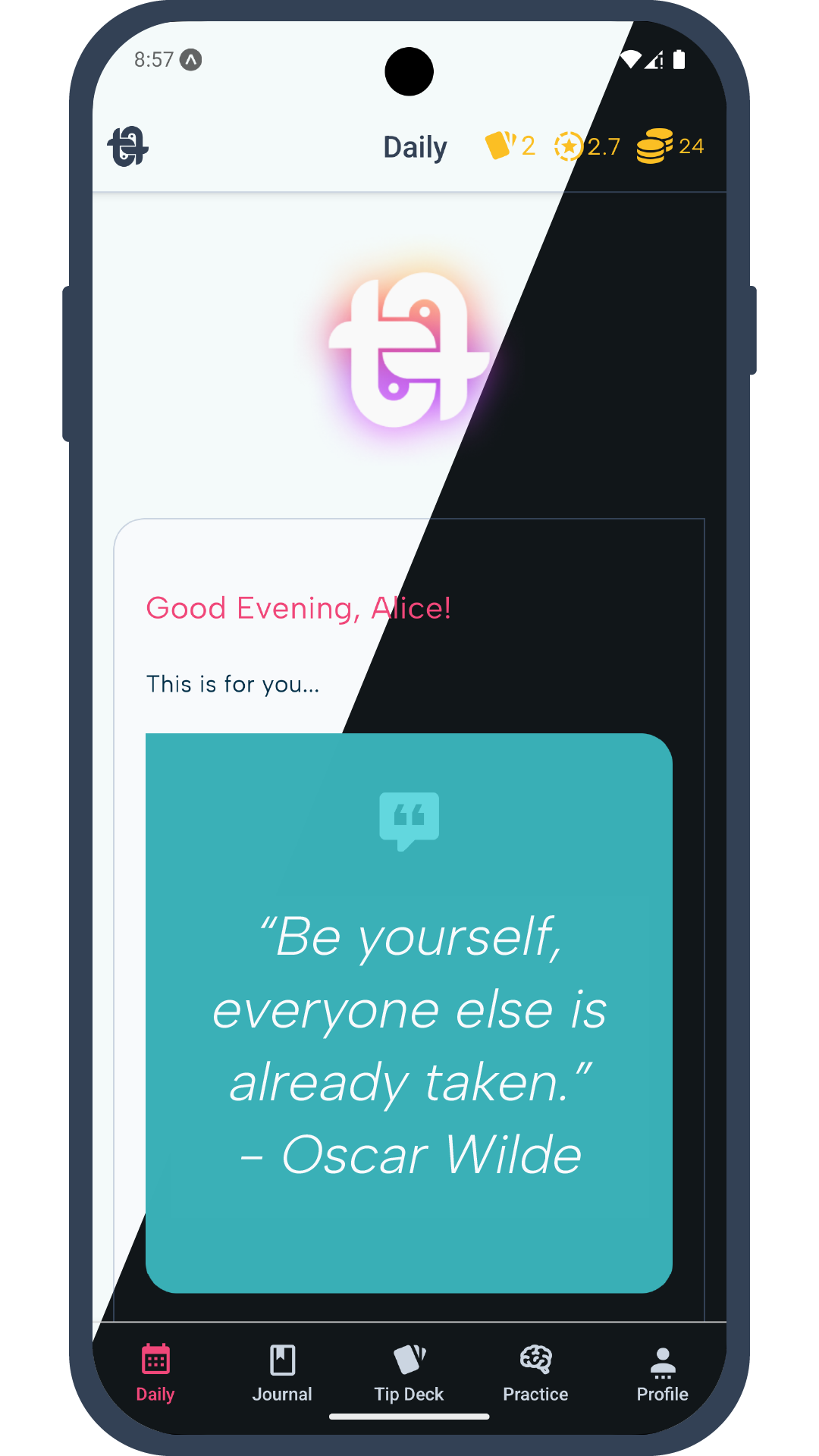
Navigation Bar
tipit mobile app has 5 main screens. On the bottom of your app screen you will find 5 tabs, each representing a screen that has various tools and features. You can switch between them by tapping on any of the representative icons.
The name of the screens are:
Daily | Journal | Tip Deck | Practice
Daily
The daily screen is where you would want to come everyday to check up upon your progress. Our app support Light and Dark themes. It will switch automatically based on your system preferences.
Let's look at the features that are available in the Daily Screen:
- Message from beyond
To get you up and running, we will send you a reminder everyday that will pop up as a notification on your phone. The notification may contain motivational but fun phrases or quotes or something that will cheer you up in the morning. We call it Message from Beyond. We don't exactly know what message you will be getting each morning as these are randomized. We like to think that the message contains special meaning to you everyday, something that you need to hear!
You can change the schedule for notification time on Profile screen. You can also turn it off and on to your preference.
Note: the on/off switch has a 60 seconds cooldown. So you need to wait for 60 seconds to turn it back on or off once you have used it. You can change the schedule time 3 times per day.
- Weekly Resolution
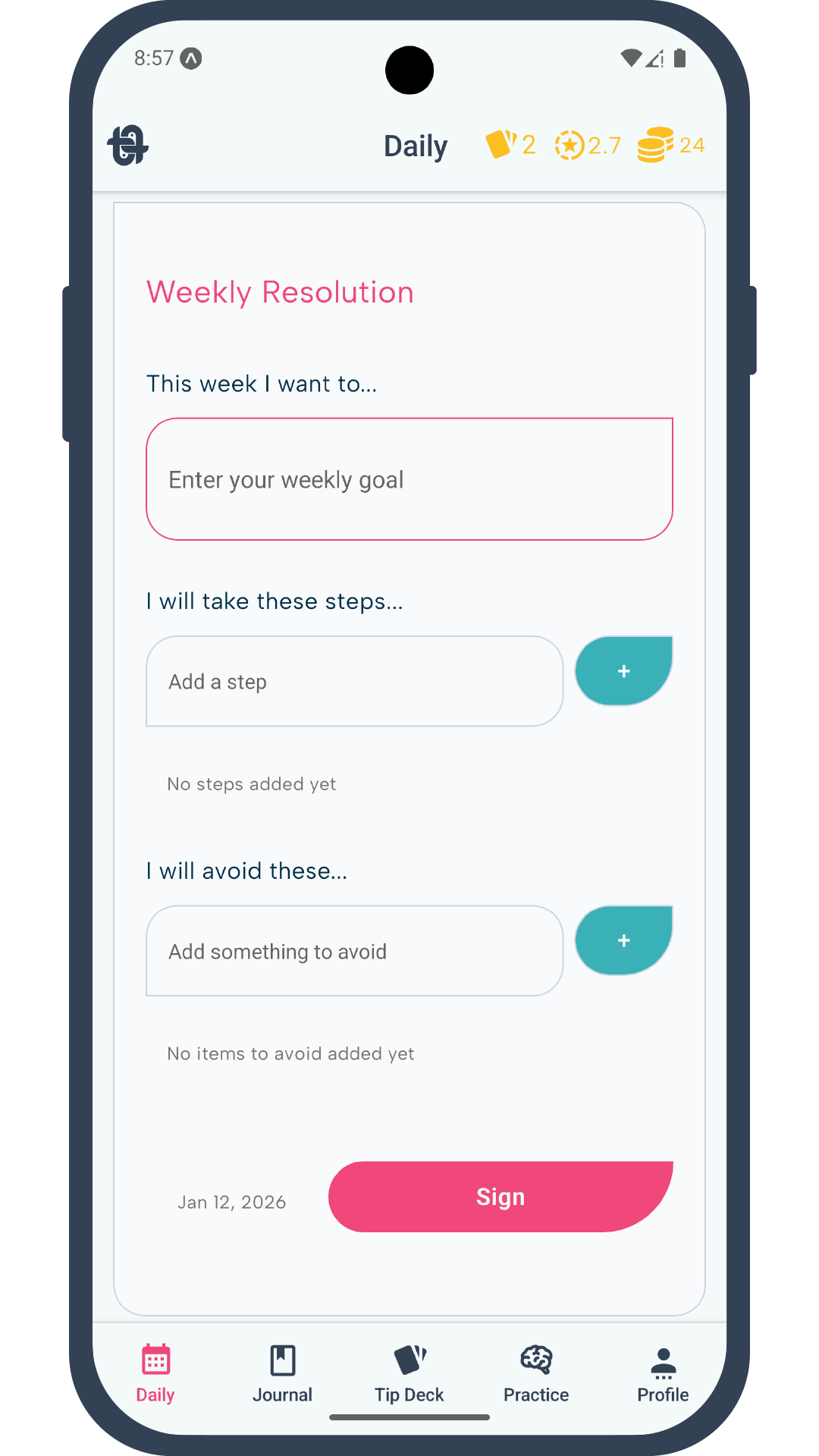
Want to build a new habit? Try something new? Or work on something you keep telling yourself to do but the thing overpowers you every time?
Put what you want to achieve in words. If it's too big of a challenge break it down to a size that's doable in a week. Then break it down to actionable steps. Steps that you can take within the week to get closer to your goals and also the steps you should avoid that will keep you fixed on your goal. This is your weekly resolution.
Sign it, and commit to it. Once signed, you cannot change it for a week. After a week, assess what you have been able to achieve, write a journal entry on this. Don't feel bad if you couldn't get everything done as you planned, try again the following week.
- Personal Review
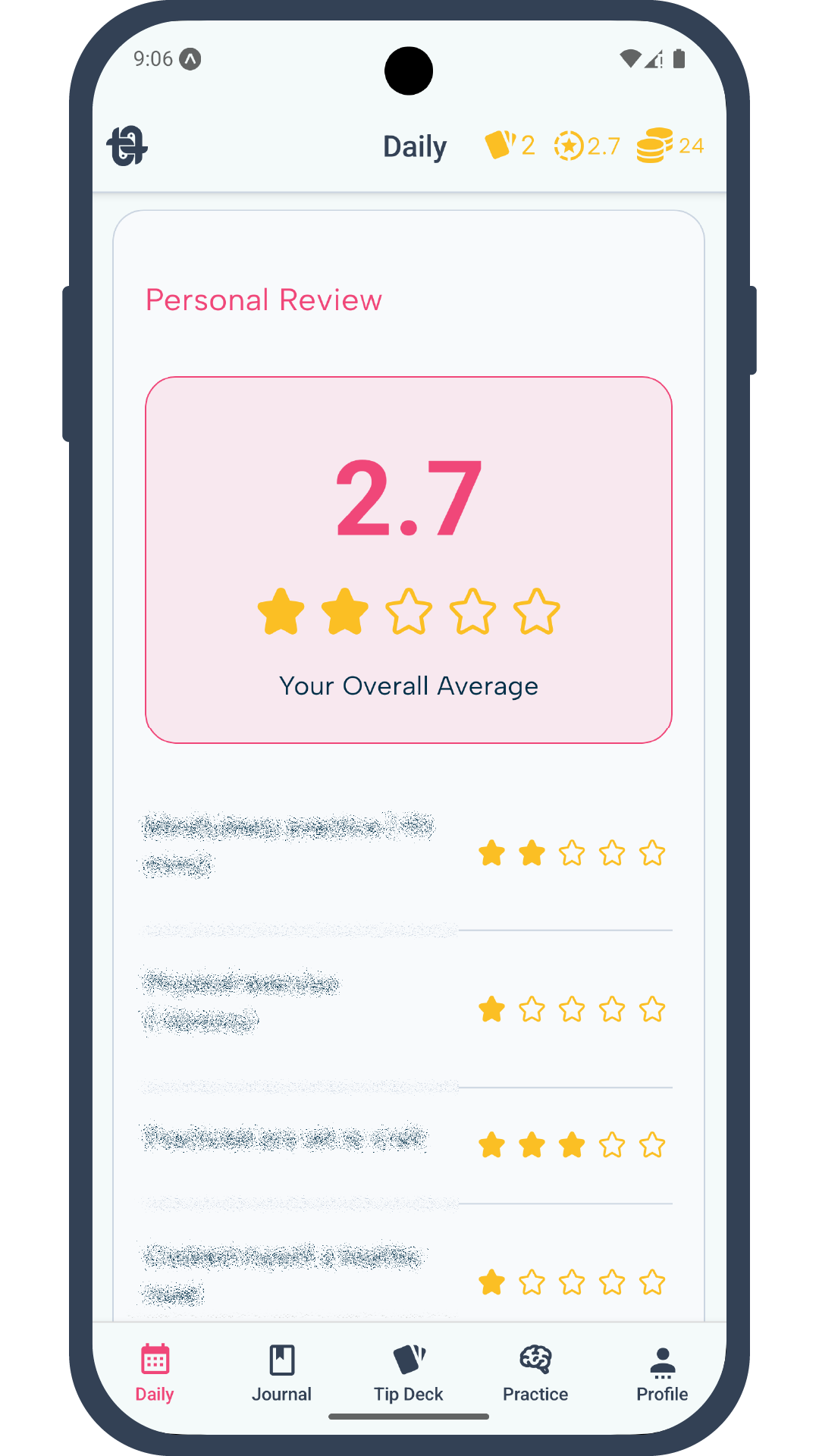
Have you given yourself any stars lately? Well, now you can. In the personal review section there will be several criteria on which you can give yourself the number of stars you deserve. We wouldn't know if you cheated, but it's best that you are honest to yourself. That's the only way to improve.
You can do the review any time of the day. Once you submit it, it will count the average score of the day and get locked out until the following day. The daily average counts towards overall average, which will take all your daily average to give you a score.
The overall average will also appear in the shortcut widget, placed at top-right corner of your app screen.
- Pomodoro Focus
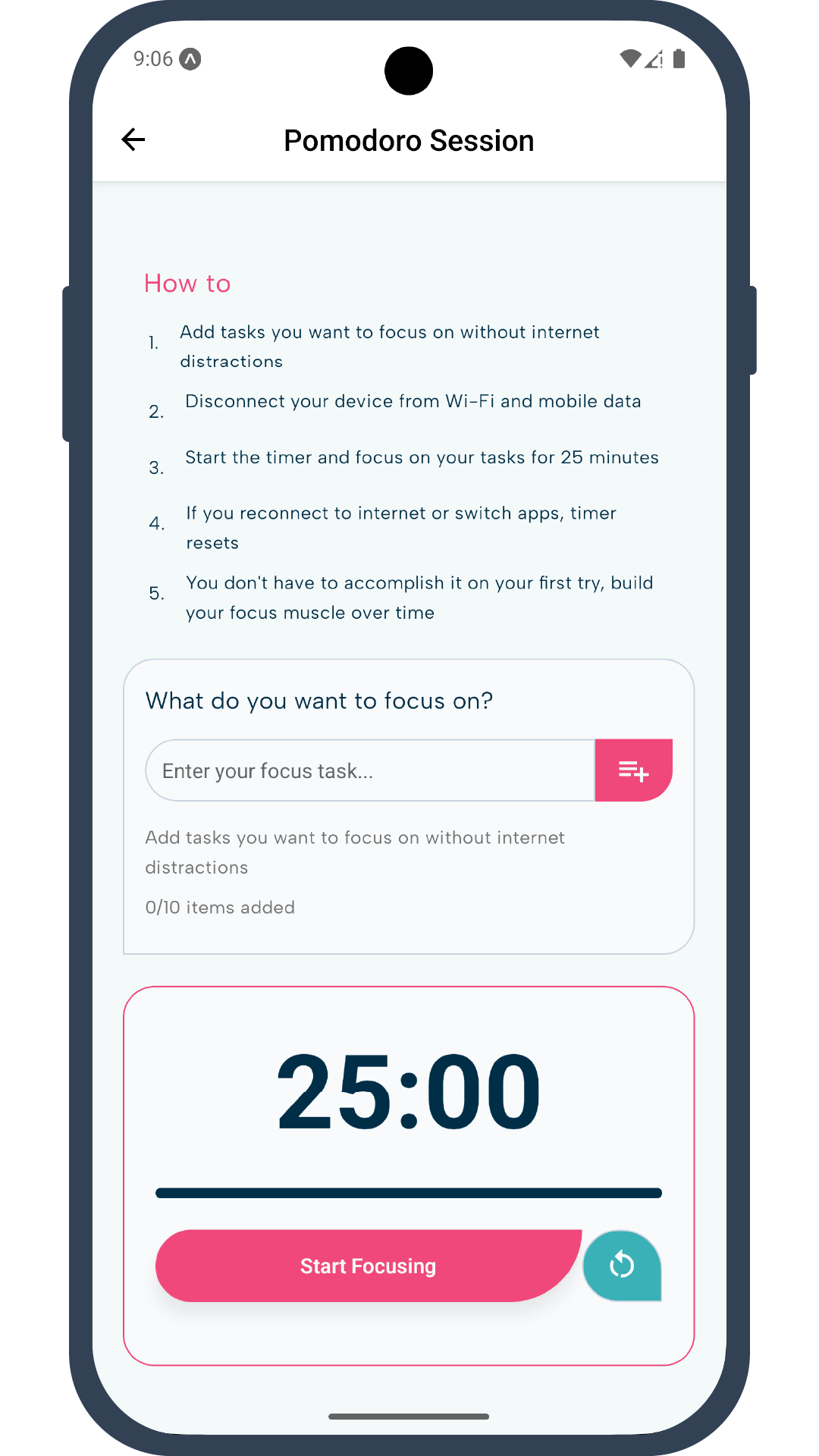
We have added a Focus tool inspired by the famous Pomodoro Technique. We hope it may help some of you to get things done with offline focus.
The timer only activates when you are in offline mode. You also need to keep the app screen in focus. So we suggest that you pick something that you want to focus on that does not require your phone or the internet. Write down the things you want to get done, then start the timer.
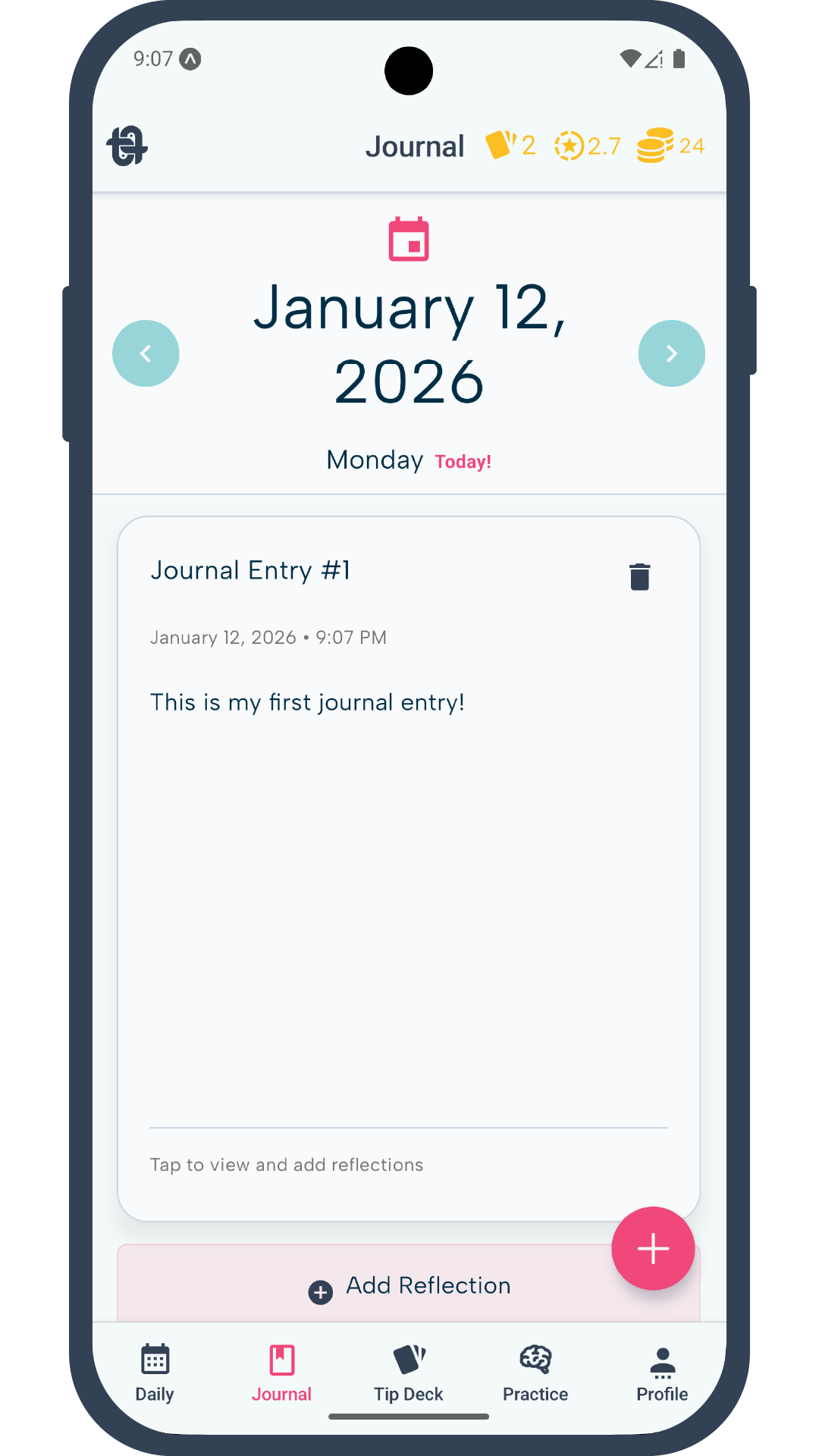
Journal
One of the most ancient and proven method to get your thoughts organized is journaling. It may even help you see yourself in a different light. Make a short journal entry everyday to build a habit. Don't stress yourself too much on what to write. Go for whatever comes to your mind, we are not watching!
Once you write a journal entry, you cannot edit them. But you can write a reflection for your entry. This is to encourage you to make mistakes, and help improve cognitive functions.
You can try writing right after you wake up. Perhaps, write down your dreams or jumbled thoughts. Once you have written down, revisit it at a later time. This time write a reflection on it. Our journal section allows you to add reflections on each of your journal entry. So flip through your journal entries whenever you have time, then reflect upon it.
You can press the left or right button on either side of the date view to go back and forward a day. You can only add a journal entry on Today's date. But you can add reflection on your past journal entries. You can tap on the calendar / date section on journal screen to open calendar view. From there you can choose any date to see journal entries of that day.